 Skip to content
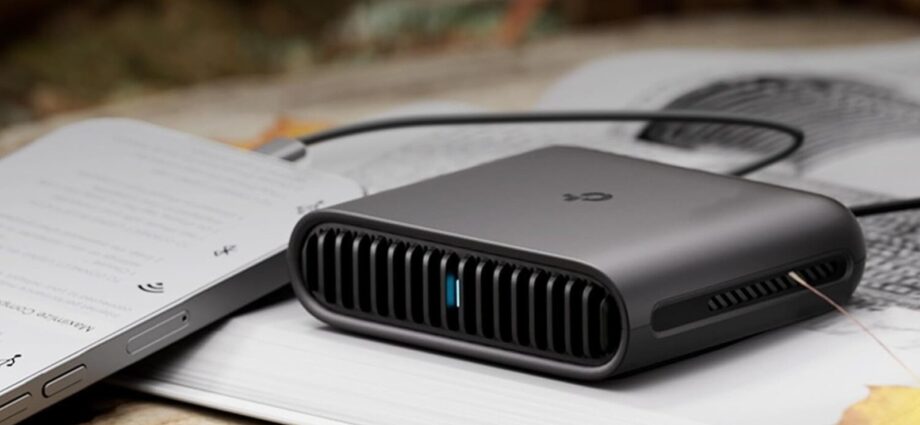
We may receive a commission on purchases made from links.
If you already have a travel router or plan to get one, you can use it in a number of ways at home. From improving the network’s performance to boosting security and privacy, a travel router can be a smart addition to your collection. The problem is that most people only use their travel router on vacations. And much of it has to do with how travel routers are advertised. They are often marketed as a convenient solution to bypass device limits in hotels or enhance security on public networks. But that’s not all they’re good for.
You can use a travel router to create a dedicated network for guests, set up a network for smart home devices, extend the range of your Wi-Fi, configure a network-wide VPN and ad-blocker, or even set up parental controls without touching the main network. And all this is simpler than you think, since most modern travel routers include these features. So if your travel router has been sitting in a drawer for some time, use it to fix networking problems and overcome common limitations for a faster, more secure internet connection — not just for you, but for the entire family.
Create a guest network

Maruco/Getty Images
If you have people coming over regularly, you’ve surely shared your Wi-Fi passwords with them. In an average home, this may not pose that big of a risk, but if you have critical devices connected to the network, anyone with access to it can see those devices. This includes PCs, network-attached storage (NAS), home cameras, smart plugs, wireless printers, or anything else that’s connected to the router. Even if the risk is small, this is something you shouldn’t overlook. It’s important to isolate the network your guests use from the main home network, and your travel router can do that perfectly.
A travel router is one of the easiest ways to create a guest network. Unlike creating a guest network on the home router, which is not an option on all routers and could be slightly technical for the average user, you can simply connect your travel router to the main network and then share the password for the travel router with guests. The best part about this setup is that if you ever feel that there are too many devices connected to the travel router, you can always change its password without impacting the main home network or the connected devices.
This is also useful for people who run rental properties, or anyone who wants to add an additional layer of security and privacy to their home network.
Extend your Wi-Fi into dead zones
Santo Chistopher/Shutterstock
If your home has several dead zones, you might not have to go out and buy a Wi-Fi range extender or mesh network — instead, your travel router can act as a Wi-Fi extender on its own. All you need to do is connect the travel router to the home network and place it midway between the main router and the dead zone. The travel router will broadcast the signal closer to where you actually need it. This will ensure reliable Wi-Fi connectivity in the dead zone, or if the area previously had low signal strength, the travel router, by improving the network coverage, will help boost Wi-Fi speeds.
Keep in mind that the travel router will create its own dedicated network that you will have to connect to, but that’s also how the situation would be if you used a Wi-Fi range extender. Another thing to note is that some travel routers feature Ethernet ports, allowing a more stable connection for devices like smart TVs, PCs, and gaming consoles. This could help eliminate the need to run cables throughout the house.
Add the privacy of a VPN to several devices at once
Alex Cristi /Getty Images
Many of us rely on VPNs to boost security and privacy when connected to the web. A reliable VPN service effectively encrypts your internet traffic, making it harder for others to monitor the websites you visit. In most cases, users install VPN apps or dedicated VPN browser extensions on every device. While this works, the approach is more time consuming and tedious — not to mention the fact that there are several devices where you can’t easily install VPN apps. But if you have a travel router, odds are, you can use it to enable a VPN for every connected device through a single setup.
When it comes to VPNs on travel routers, there are two options, depending on the type of travel router you have. If your router comes with a built-in VPN, it’s much easier to set up — however, you’ll likely need a subscription for the built-in VPN service. On the other hand, you have routers that support VPN protocols like WireGuard or OpenVPN. These are slightly more complex to set up, but it can be done through the travel router’s admin panel. If you already have a configuration file, just upload it to the router’s admin panel, and it will automatically route all connections through the VPN — including devices like your smart TVs, gaming consoles, home cameras, security systems, and smart plugs.
Make a kid-friendly sub-network
BGR/Kazim Alvi
Much like your home Wi-Fi router, you can also set up parental controls on a modern travel router, then connect your kids’ devices to it. This way, you can block websites, restrict kids from accessing certain types of content, pick and choose the devices this applies to, and even set time limits for internet access, without reconfiguring the network settings on the main router.
For instance, the TP-Link TL-WR1502X travel router has these features available natively under Parental Controls in the router’s admin panel. And since these controls are managed at the router level, they apply to all connected devices irrespective of the operating system or browser being used. However, you can always configure these controls to allow some devices to enjoy unrestricted internet.
Many modern home routers also let you set up parental controls, but doing so can sometimes be an inconvenience. That’s because your critical devices are connected to it too and you will have to create exceptions for them. By reserving parental controls for the travel router and letting your kids connect to it, you can limit these restrictions to a specific set of devices. And the best part is that your travel router doesn’t sit unused in a drawer, yet it’s still ready to head out on the road with you and the kids at a moment’s notice.
Supercharge your mobile hotspot during outages
Farknot Architect/Shutterstock
Internet outages, though not as common as they used to be, are still a problem. And more often than not, they happen at the worst possible times. Many of us go with a mobile hotspot in these situations for internet connectivity, but they are not as reliable. That’s where your travel router comes into the picture, allowing you to share your phone’s internet connection with all your critical devices.
To set up USB tethering, connect your smartphone to the travel router using a USB cable, then turn on “Personal Hotspot” on iPhones or “USB tethering” on Android smartphones. In the router’s admin panel, switch to USB Tethering mode, and your travel router will now use your phone’s internet instead of the home router.
This setup has several advantages. First, you have a reliable connection to fall back on in case of an internet outage. Next, the internet speed is generally faster since your phone is relaying the connection to the travel router using a cable and letting the latter handle the rest. Between USB tethering and mobile hotspot, the former is usually faster. Lastly, since your smartphone is connected via cable, it also charges while providing internet connectivity.
Keep in mind that you can’t treat this as a permanent setup, especially if your cellular plan has limited internet or hotspot data. But for outages, using USB tethering with your phone and travel router will keep your important devices connected to the internet.
